Creating Internet Success Stories Since 2001

BOOKMARK THIS PAGE
512.410.5163
TECHNOLOGY OUTSOURCING.HIGH QUALITY YET AFFORDABLE SOLUTIONS:CUSTOM SOFTWARE PROGRAMMING,WEB DESIGN IN AUSTIN,DALLAS,AND HOUSTON TEXAS
Services
Dallas MLS Integration
Don’t leave your own site anymore to search the MLS! This simple process will enable your clients to search Dallas listings on your site instead.
Step 1: Choose Your Design

First, choose your design. Basic ecommerce sites include a semi-custom. For a nominal fee it can be upgraded to a fully custom design.
If you are unsure which design will work best for you company, one of our Project Managers will be happy to assist in choosing the most suitable design for your business.
To choose a semi-custom design and begin the process to get your own ecommerce site click below:
All designs can be found at the designs page or by clicking
here.
Step 2: Picking Your Areas
Next, let us know the areas of Dallas that you focus on and that you would like to have listed on your site.
Basic MLS Integration includes 5 areas. Upgraded Integration can have up to ten with an added fee for each additional area.
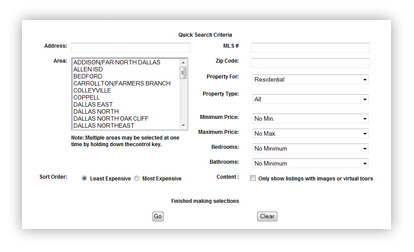
Step 3: Information Plug-in

In less than 5 business days you will have full MLS integration tailored to your needs and customized to your website. Clients can save images of homes that they love with an id and password. They can also print brochures of their favorite homes. For a small additional fee, you can have an automated email that gets sent to them when homes matching their criteria become available.
Any real estate agent in Dallas should have this feature on his or her website to maximize buying possibilities and to make their site vital to their clients.
Step 4: Information Plug-in
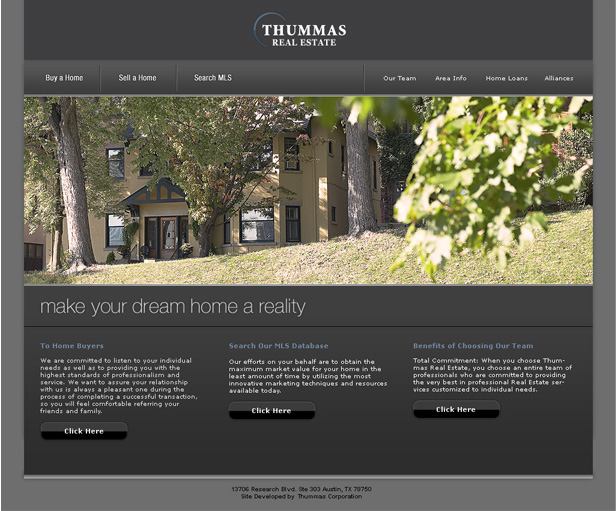
Click Hereor on the image below to see the Dallas MLS Integration in action!
For Additional Information about our Dallas MLS Integration Service, Download the PDF: